
Convert HTML & CSS to Webflow, Fast and Clean.
Streamline your design process with our powerful app. Convert raw HTML, style with CSS3, manage SVGs, and handle classes all within Webflow.
Nothing loads from the video host until you press play.
What HTMLtoflow is. Streamline your design process with our powerful app. Convert raw HTML, style with CSS3, manage SVGs, and handle classes all within Webflow. It is a Webflow Designer app built by Creoglyph, live and installable today. It has 7,000 recorded installs.
Features
What it does, one screen at a time.
Scroll through. The panel on the left follows the feature you are reading.
HTMLtoflow, shown in the Webflow Designer.
- 01 / 04
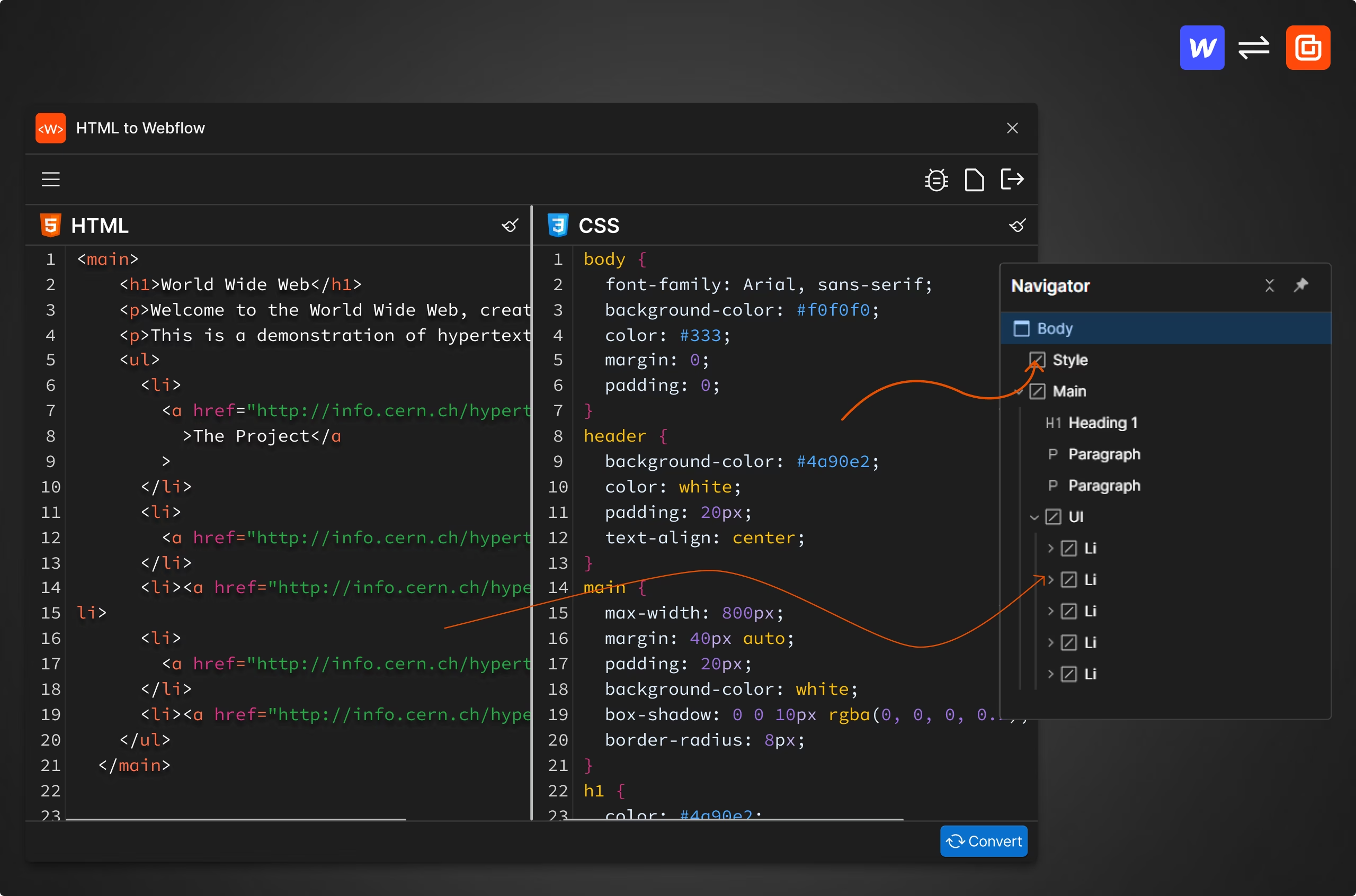
Convert raw HTML to Webflow elements
Seamlessly convert raw HTML into Webflow elements, preserving structure and ensuring compatibility within the Webflow Designer.Copy your raw HTML code.Paste it into the HTML input area of the app.The app automatically converts the HTML code into Webflow elements.
- 02 / 04
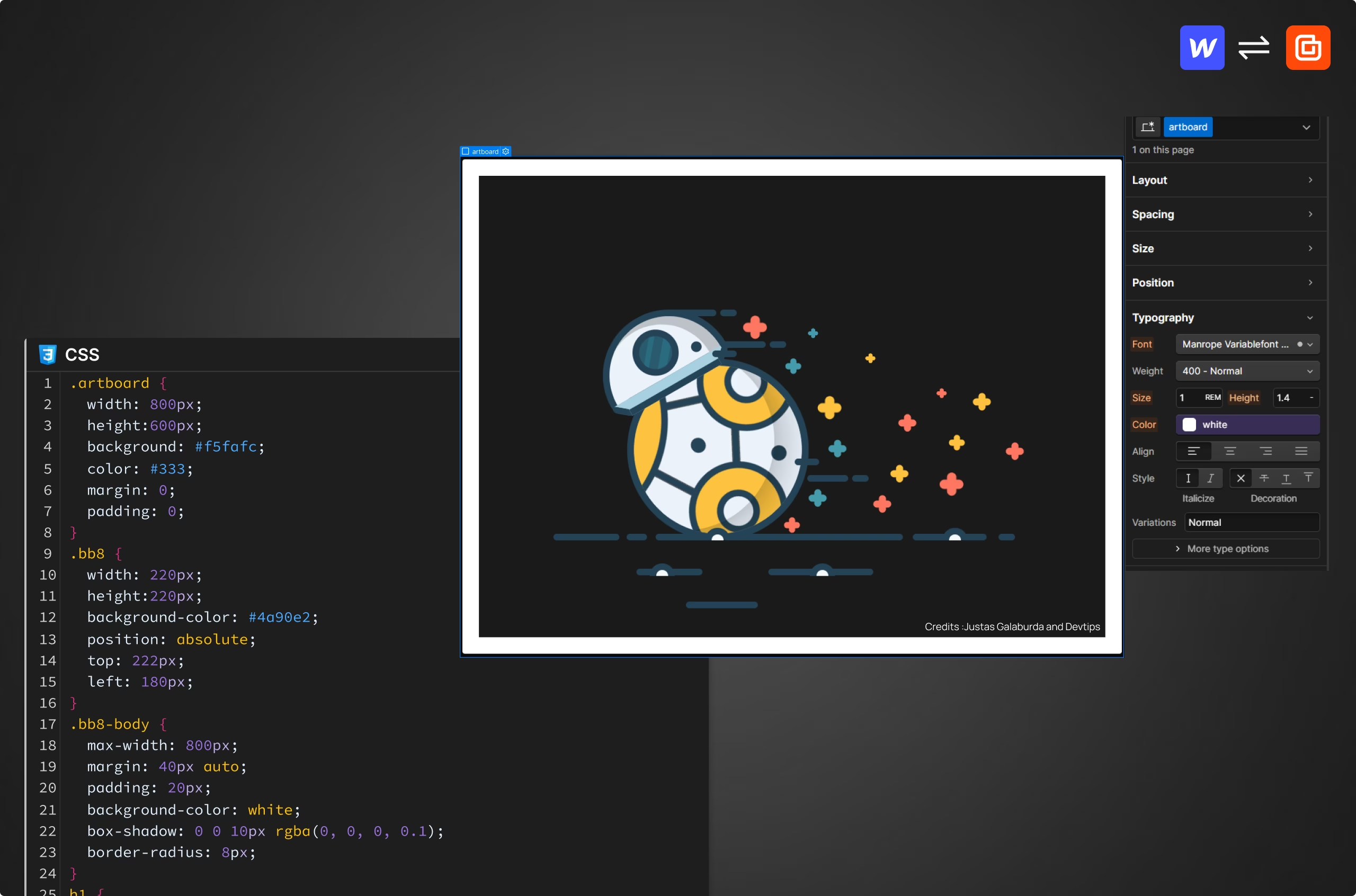
Custom CSS styling in Webflow Designer
Add custom CSS directly in the Webflow Designer using our dedicated CSS3 window, ensuring consistent and precise styling for your designs.Copy your raw CSS code.Paste it into the CSS input area of the app.The app generates style tag and applies the styles in Webflow.
- 03 / 04
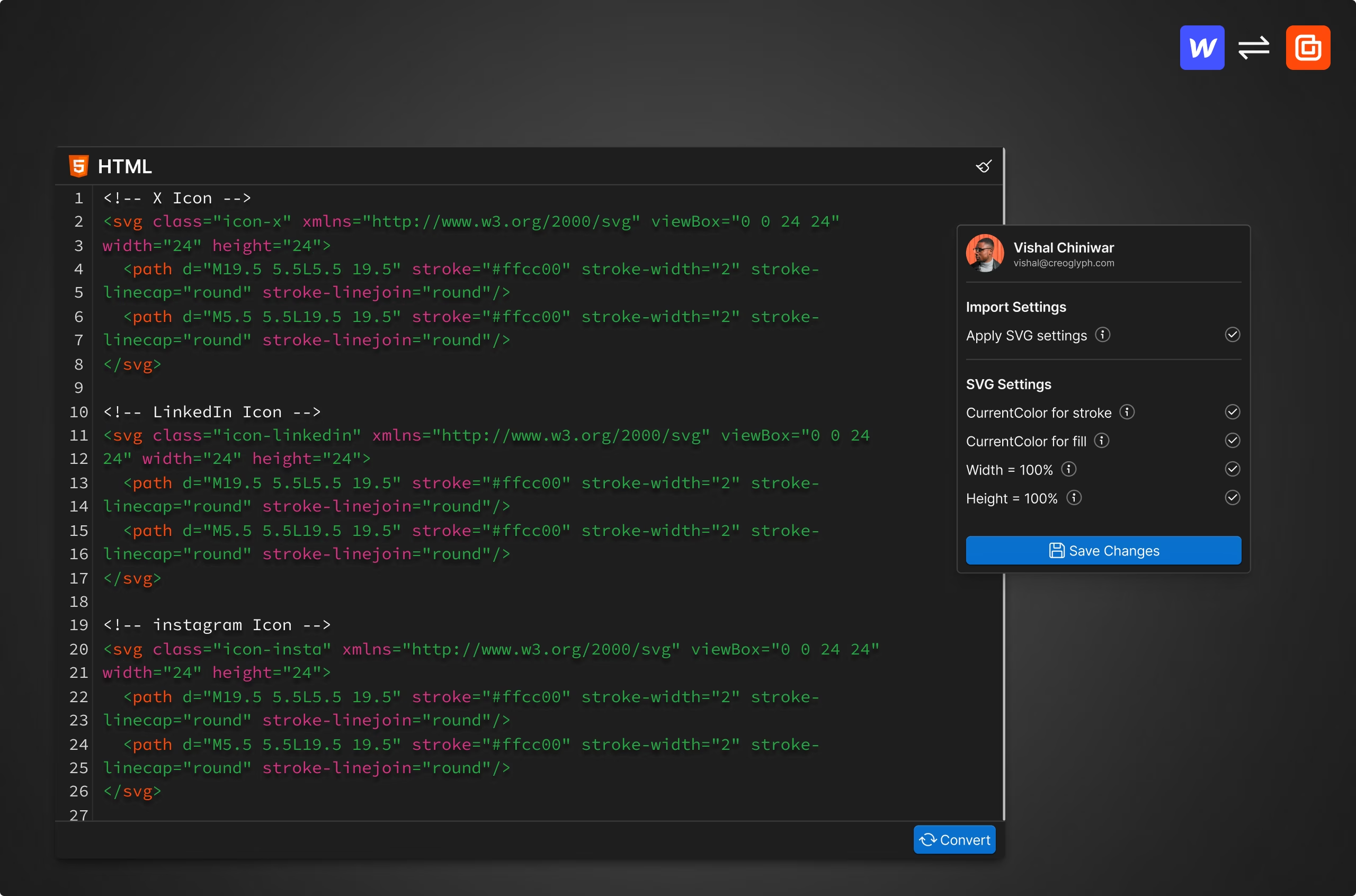
Batch process and customize SVGs
Batch process and customize multiple SVGs, adjusting attributes like width, height, fill, and stroke for clean integration into your Webflow projects.Copy the SVGs you want to use.Paste them into the HTML input area.Ensure the SVG settings are turned on before converting.The app processes and integrates SVGs into Webflow.
- 04 / 04
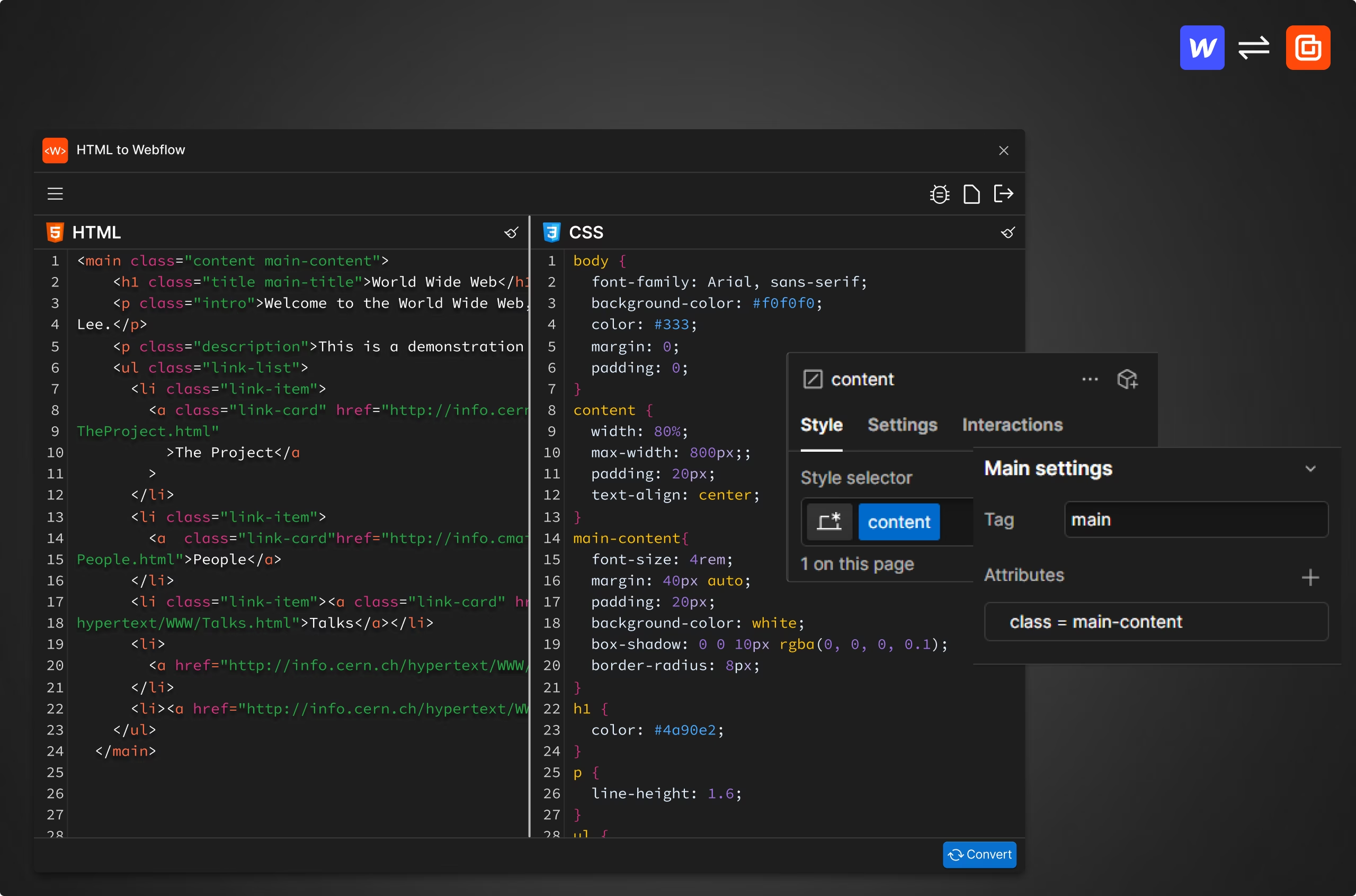
Efficient class management in Webflow
Create single classes and add combo classes as attributes, streamlining your workflow and maintaining consistency in your Webflow designs.Add your HTML and CSS as usual.The app creates single classes and handles combo classes by adding them as attributes.
See it work
A recording of the real app.
Nothing loads from the video host until you press play.
Who it is for
Built for people who ship Webflow sites for a living.
Every Creoglyph app came out of a job that should take five minutes and was taking two hours. If you build in Webflow every week, that is the audience.
In this app
- Convert raw HTML to Webflow elements
- Custom CSS styling in Webflow Designer
- Batch process and customize SVGs
- Efficient class management in Webflow
HTMLtoflow questions.
Some reserved attributes may be removed upon publishing. In such cases, please build those elements manually to ensure they function correctly.
No, the app currently supports only vanilla HTML and CSS3. You need to convert SASS, SCSS, or LESS to CSS before using the app.
Yes, you can use the app to integrate unique components and third-party code by converting raw HTML and CSS into Webflow elements.
No, we do not completely validate the code. Please ensure your HTML and CSS are correct before starting the conversion.
The app creates single classes and adds combo classes as attributes. However, only the first class in the combo is added to the element since Webflow currently does not support the creation of combo classes. This limitation will be resolved once Webflow provides support for combo classes.
The app supports batch processing of multiple SVGs. You can paste multiple SVGs at once and customize attributes such as width, height, fill, and stroke.
If the CSS code works in the Webflow Designer but not on the published site, please add the CSS code within a <style> tag inside an embed element. This ensures proper functionality across both the Designer and the live site.
Double-check your HTML and CSS for any errors. If issues persist, manually adjust the elements within Webflow to ensure they display and function correctly.
Related
The rest of the set.
Four apps, built in the order we needed them.
 AssetflowGenerate accurate, SEO-friendly alt text instantly, enhance accessibility and search rankings without the hassle.
 AttriflowBulk edit, organize, and optimize attributes in Webflow, fast and hassle-free.
 AI CMS Helper Text GeneratorAutomatically generate concise, field-specific helper text for every CMS field , saving hours of manual effort and guiding editors with clarity.