
AI-Powered Alt Text for Webflow.
Generate accurate, SEO-friendly alt text instantly, enhance accessibility and search rankings without the hassle.
Nothing loads from the video host until you press play.
What Assetflow is. Easily manage, bulk edit, and optimize alt text to enhance accessibility and SEO for your Webflow projects. It is a Webflow Designer app built by Creoglyph, live and installable today. It has 5,000 recorded installs.
Features
What it does, one screen at a time.
Scroll through. The panel on the left follows the feature you are reading.
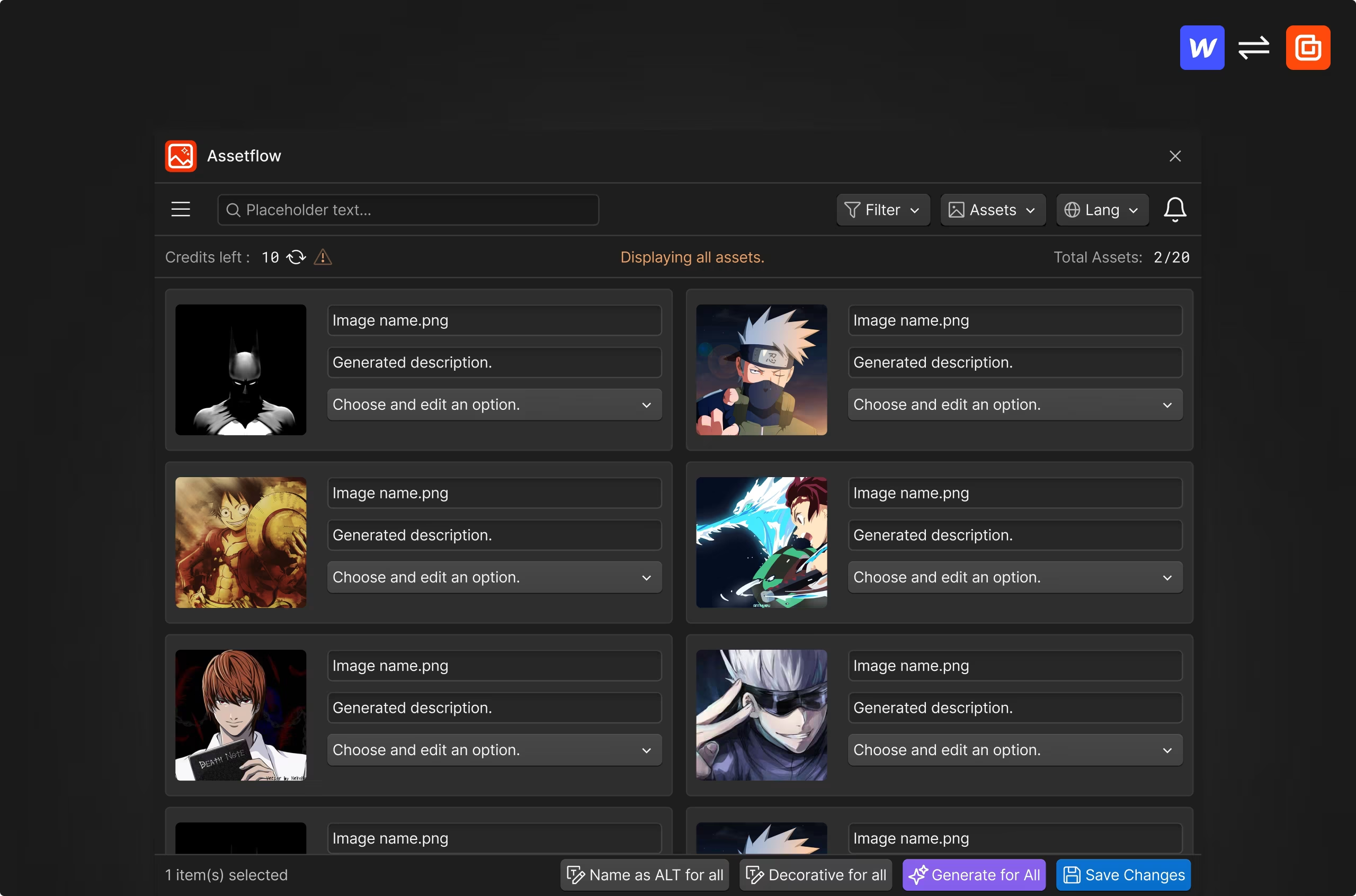
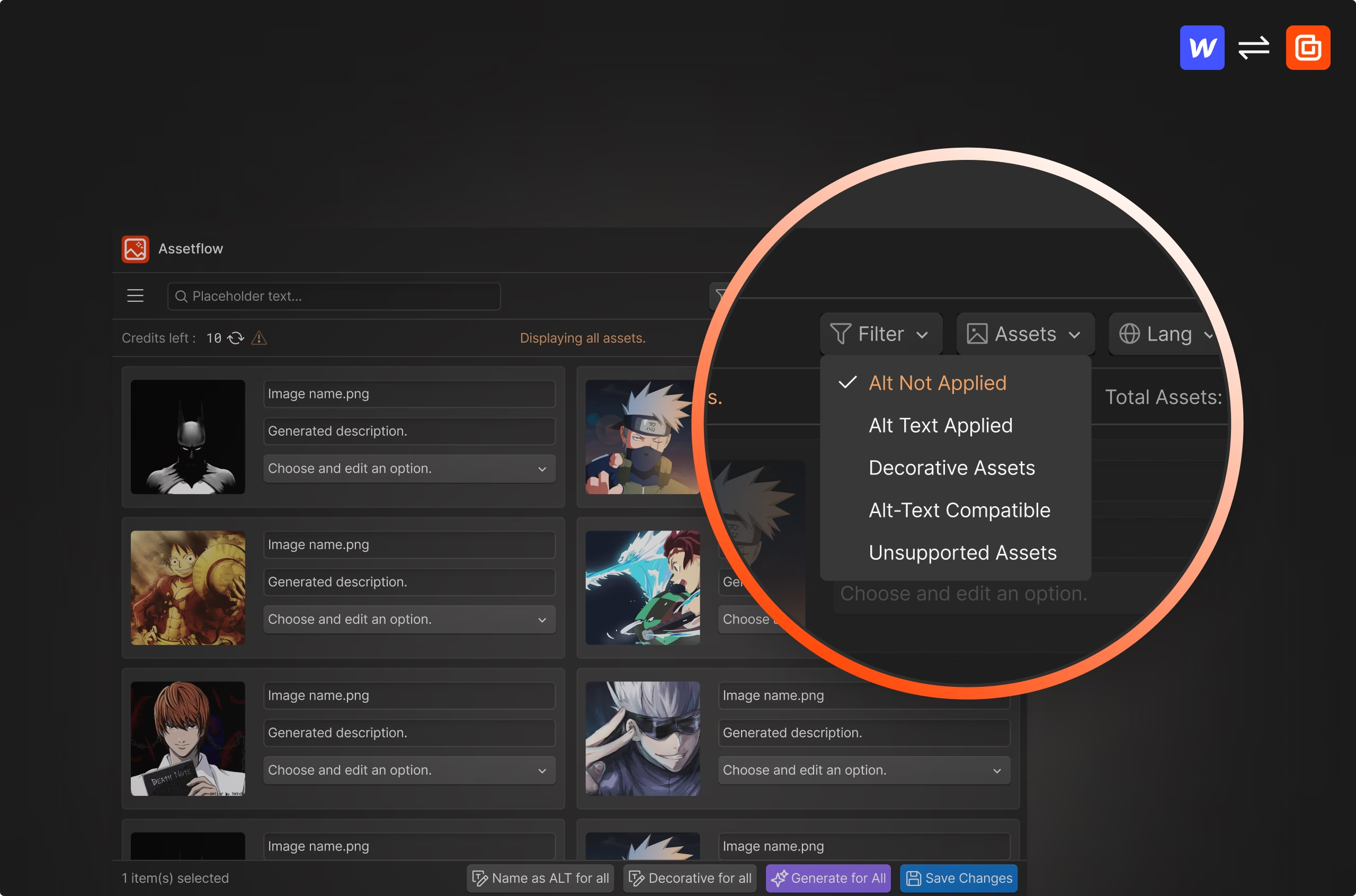
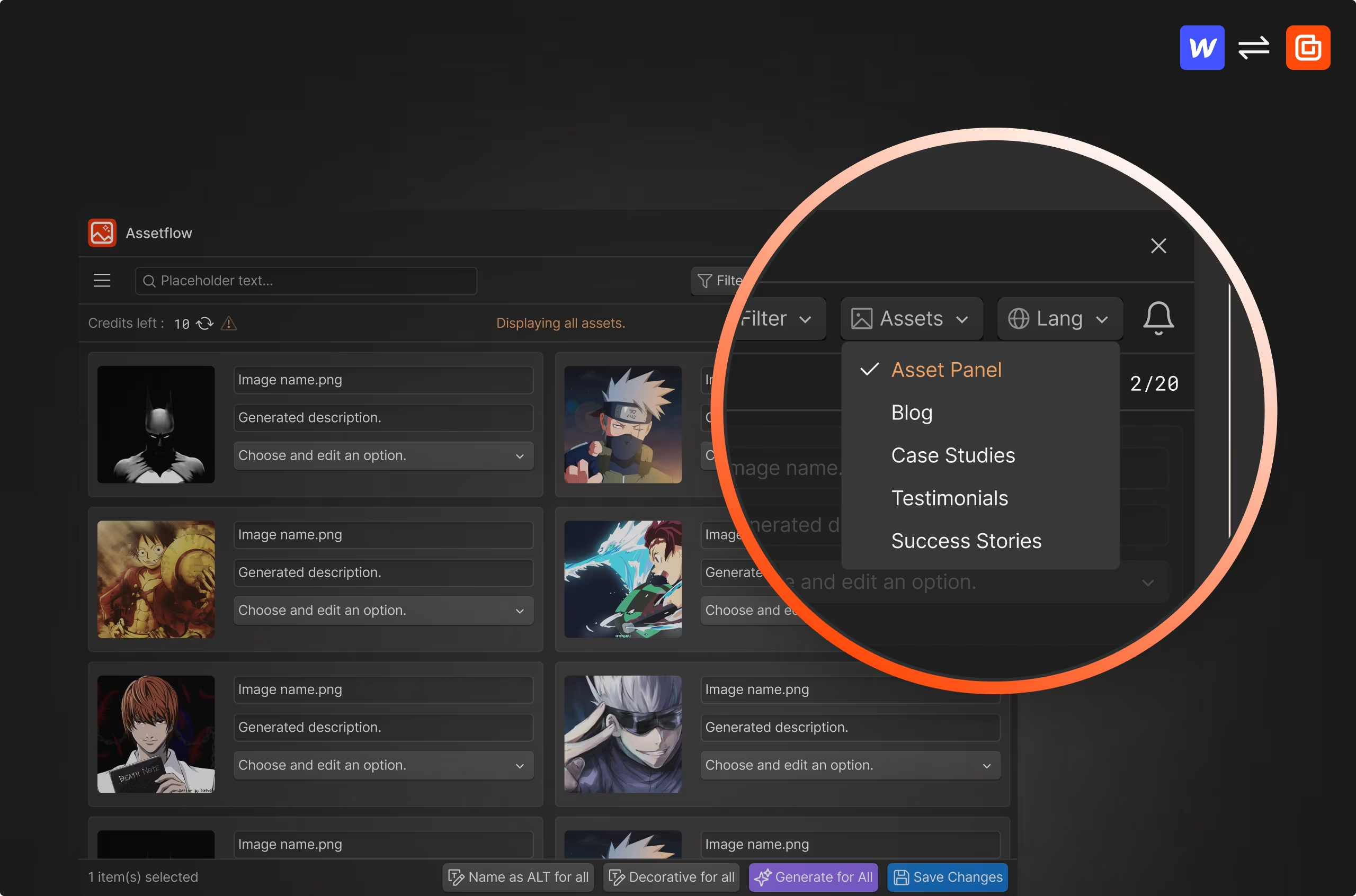
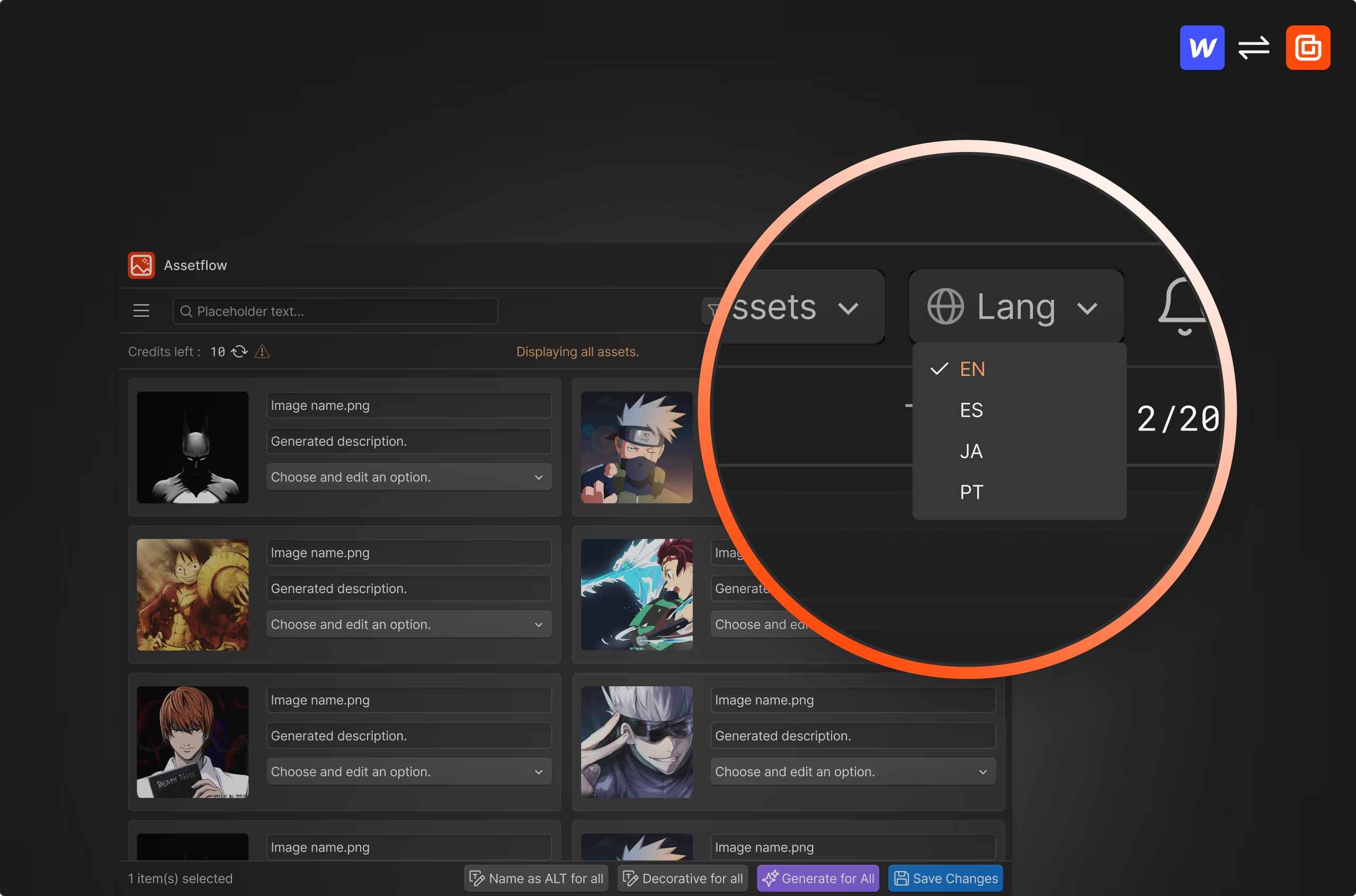
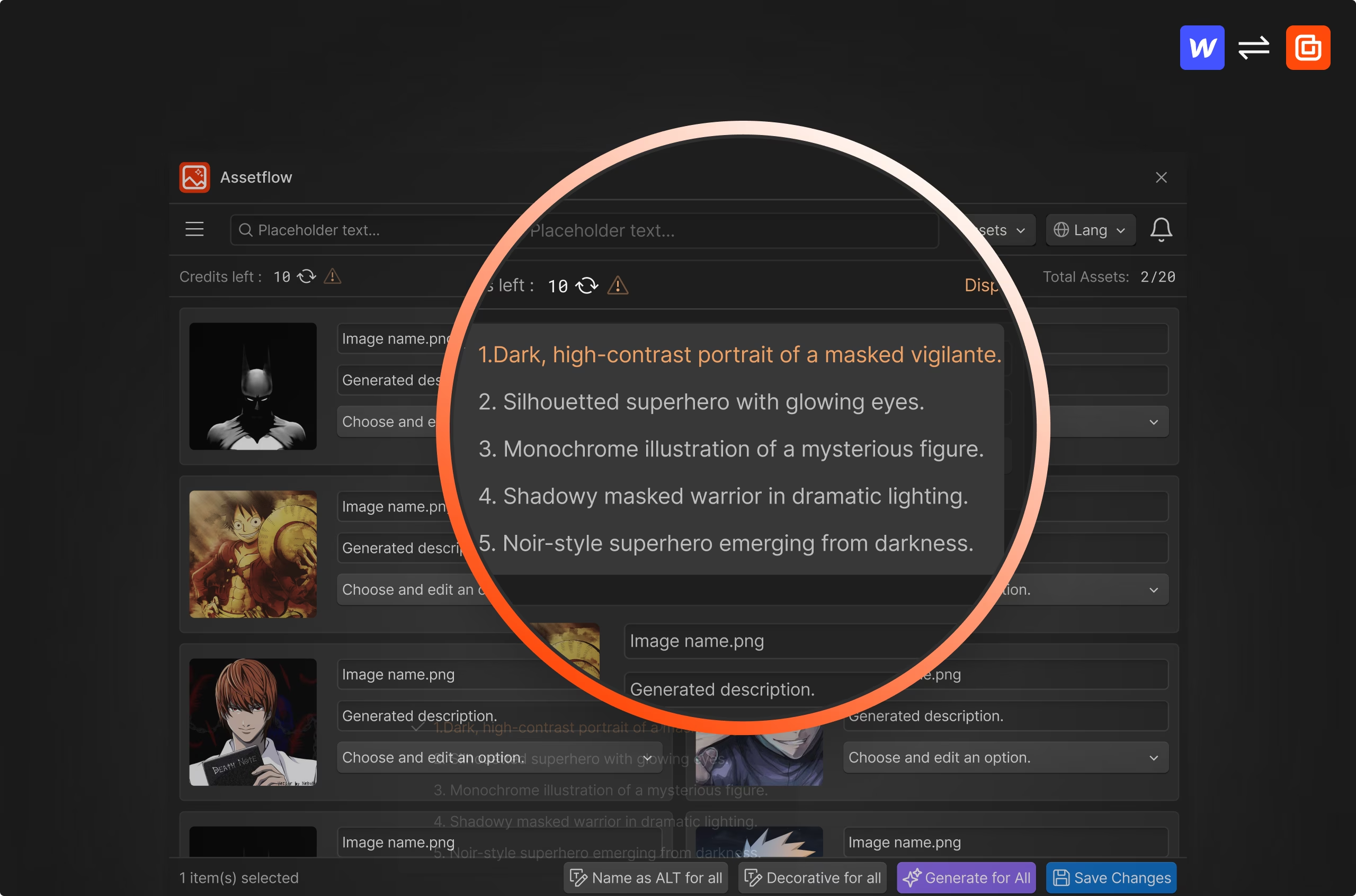
Assetflow, shown in the Webflow Designer.
- 01 / 05
Smarter Alt Text, Faster Workflow
Automate alt text and file naming with AI. Boost accessibility, SEO, and efficiency, seamlessly integrated into Webflow.
- 02 / 05
Faster Asset Filtering
Sort images by alt text status in seconds. Stay organized, improve accessibility, and optimize SEO with just a few clicks.
- 03 / 05
Alt Text for Every Asset, Easily
Generate AI-powered alt text for all assets, including CMS content. Fully automated, fully optimized, and ready in one click.
- 04 / 05
Alt Text, Now in Multiple Languages
Generate AI alt text in English, Spanish, Japanese, and Portuguese. Expand accessibility and reach a global audience instantly.
- 05 / 05
Choose, Edit, Perfect Your Alt Text
Get multiple AI-generated alt text variations per image. Pick the best, refine, and customize to enhance SEO and accessibility.
See it work
A recording of the real app.
Nothing loads from the video host until you press play.
Who it is for
Built for people who ship Webflow sites for a living.
Every Creoglyph app came out of a job that should take five minutes and was taking two hours. If you build in Webflow every week, that is the audience.
In this app
- Smarter Alt Text, Faster Workflow
- Faster Asset Filtering
- Alt Text for Every Asset, Easily
- Alt Text, Now in Multiple Languages
- Choose, Edit, Perfect Your Alt Text
Assetflow questions.
Yes! AssetFlow lets you generate alt text for all assets in one click, saving time and ensuring consistency across your Webflow project.
Yes, you can! AssetFlow provides multiple alt text suggestions for each image, and you can choose, refine, or edit them before applying.
Yes! AssetFlow allows you to sort images by whether alt text is applied, missing, decorative, or compatible. This helps keep your assets organized and ensures accessibility compliance.
Absolutely! AssetFlow generates alt text for all Webflow assets, including CMS content, making it easy to optimize images across your entire site.
Yes! AssetFlow supports all image formats that Webflow allows, including JPG, PNG, GIF, and SVG, ensuring clean integration with your assets.
Simply select the best option, edit if needed, and apply it with one click. AssetFlow updates the alt text in Webflow automatically.
AssetFlow uses AI to analyze images and generate accurate, SEO-friendly alt text. You can review multiple AI-generated options, edit them if needed, and apply them seamlessly in Webflow.
New users get 100 free AI-generated alt text credits. You can top up affordably as needed to continue optimizing your workflow.
Currently, AssetFlow supports English, Spanish, Japanese, and Portuguese, helping you make your website accessible to a global audience.
Absolutely! The AI-generated alt text follows best practices for accessibility (WCAG) and SEO, improving search engine rankings and making your website more inclusive.
Related
The rest of the set.
Four apps, built in the order we needed them.
 AttriflowBulk edit, organize, and optimize attributes in Webflow, fast and hassle-free.
 HTMLtoflowStreamline your design process with our powerful app. Convert raw HTML, style with CSS3, manage SVGs, and handle classes all within Webflow.
 AI CMS Helper Text GeneratorAutomatically generate concise, field-specific helper text for every CMS field , saving hours of manual effort and guiding editors with clarity.